Choose your country
We work in partnership with many official Kymco dealers around the world.
You can select the country of your choice from the list below, whatever your choice, we can deliver worldwide!


          9. DRIVE AND DRIVEN PULLEYS                                                            ATV 300/250

                                                                Nut
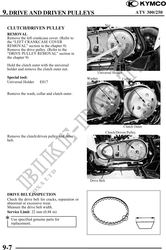
 CLUTCH/DRIVEN PULLEY
 REMOVAL
 Remove the left crankcase cover. (Refer to
 the "LEFT CRANKCASE COVER
 REMOVAL" section in the chapter 9)
 Remove the drive pulley. (Refer to the
 "DRIVE PULLEY REMOVAL" section in
 the chapter 9)

 Hold the clutch outer with the universal
 holder and remove the clutch outer nut.
                                                        Universal Holder
 Special tool:                                    Washer                   Collar
 Universal Holder     E017


 Remove the wash, collar and clutch outer.


                                                                           Clutch Outer
                                                                Clutch/Driven Pulley
 Remove the clutch/driven pulley and drive
 belt.


                                                   Drive Belt


 DRIVE BELT INSPECTION
 Check the drive belt for cracks, separation or
 abnormal or excessive wear.
 Measure the drive belt width.
 Service Limit: 22 mm (0.88 in)
 Use specified genuine parts for
   replacement.


9-7