Choose your country
We work in partnership with many official Kymco dealers around the world.
You can select the country of your choice from the list below, whatever your choice, we can deliver worldwide!


          11. DRIVE AND DRIVEN PULLEY                                                       MYROAD 700i


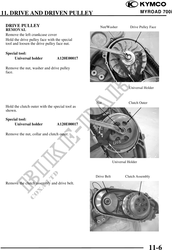
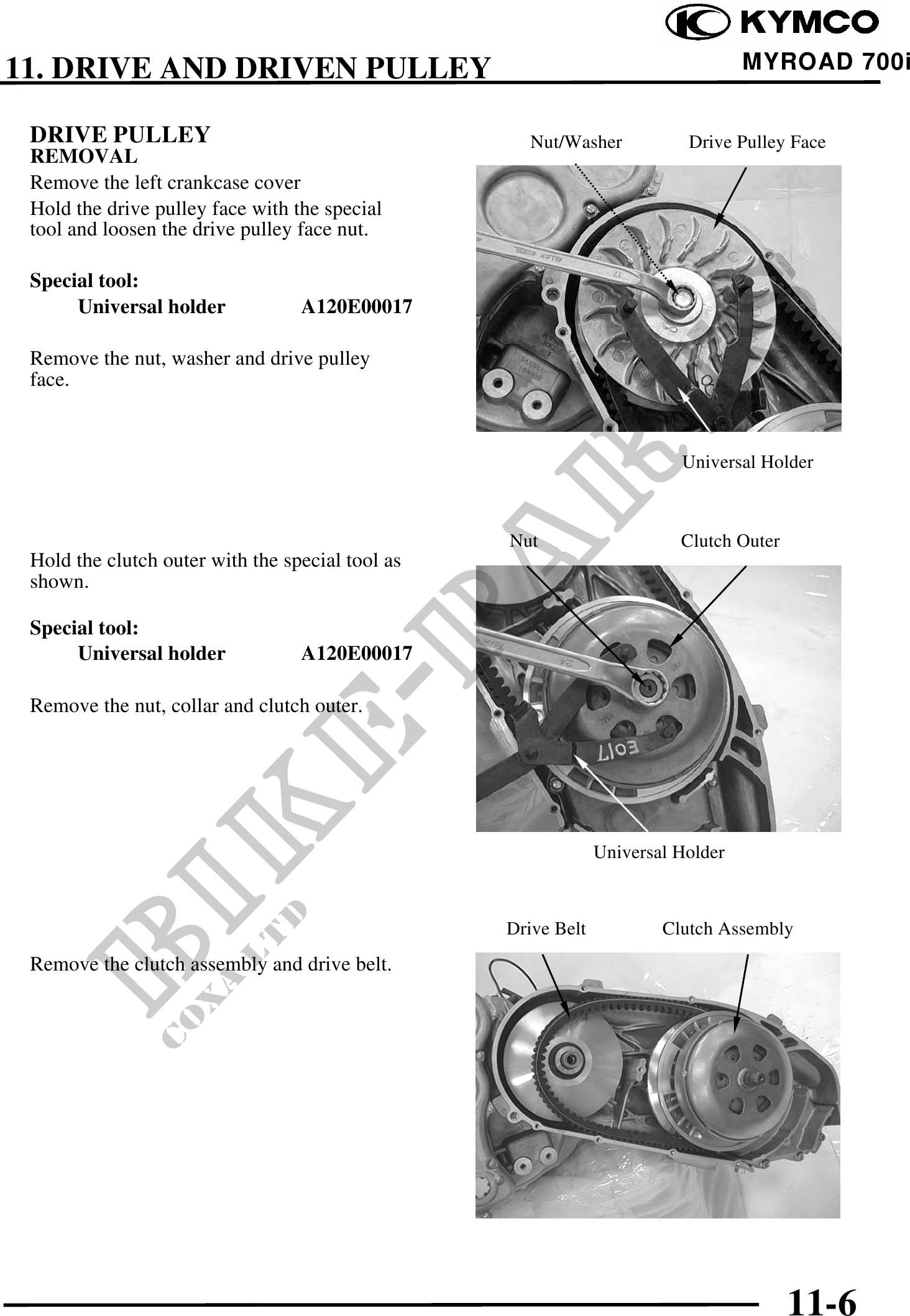
 DRIVE PULLEY                                       Nut/Washer            Drive Pulley Face
 REMOVAL
 Remove the left crankcase cover
 Hold the drive pulley face with the special
 tool and loosen the drive pulley face nut.

 Special tool:
      Universal holder            A120E00017

 Remove the nut, washer and drive pulley
 face.


                                                                         Universal Holder


                                                  Nut                    Clutch Outer
 Hold the clutch outer with the special tool as
 shown.

 Special tool:
      Universal holder            A120E00017

 Remove the nut, collar and clutch outer.


                                                               Universal Holder


                                                  Drive Belt           Clutch Assembly
 Remove the clutch assembly and drive belt.


                                                                                        11-6