Choose your country
We work in partnership with many official Kymco dealers around the world.
You can select the country of your choice from the list below, whatever your choice, we can deliver worldwide!


           1. Set the meter selector to the DC Voltage position;        3. Install the new speed sensor into the housing with
    then disconnect the black/yellow and black pri-               new O-ring lightly coated with multi-purpose
    mary wires from the coil.                                     grease; then secure the sensor with the cap
                                                                  screw (threads coated with blue Loctite #242).
 2. Connect the red tester lead to the black/yellow               Tighten securely.
    wire; then connect the black tester lead to the
    black wire.
 3. Crank the engine over using the electric starter.
 4. The meter reading must be within specification.


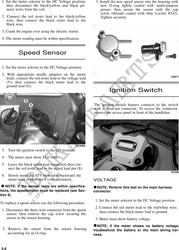
            Speed Sensor

 1. Set the meter selector to the DC Voltage position.
 2. With appropriate needle adapters on the meter
                                                                                                                CD071
    leads, connect the red tester lead to the voltage lead
    (V); then connect the black tester lead to the
    ground lead (G).
                                                                       Ignition Switch

                                                             The ignition switch harness connects to the switch
                                                             with a three-pin connector. To access the connector,
                                                             remove the access panel in front of the handlebar.


                                                   KC248A
 3. Turn the ignition switch to the ON position.
 4. The meter must show 12.0 volts.
 5. Leave the black tester lead connected; then con-
    nect the red tester lead to the signal lead pin (S).
                                                                                                                KC209
 6. Slowly move the ATV forward or backward; the
    meter must show 0 and 6 volts alternately.               VOLTAGE
   NOTE: If the sensor tests are within specifica-             NOTE: Perform this test on the main harness
tions, the speedometer must be replaced (see Sec-            connector.
tion 9).
                                                              1. Set the meter selector to the DC Voltage position.
To replace a speed sensor, use the following procedure.
                                                              2. Connect the red meter lead to the red/white wire;
 1. Disconnect the three-wire connector from the speed           then connect the black meter lead to ground.
    sensor; then remove the cap screw securing the
    sensor to the sensor housing.                             3. Meter must show battery voltage.
                                                                NOTE: If the meter shows no battery voltage,
 2. Remove the sensor from the sensor housing                troubleshoot the battery or the main wiring har-
    accounting for an O-ring.                                ness.


5-6